
Every AI agent demo looks brilliant for about ten minutes. Then someone in the room asks the awkward question, “That’s great, but can it see our customers, our orders, our invoices?” Until quite recently, the honest answer was “not without a fair bit of custom development”.
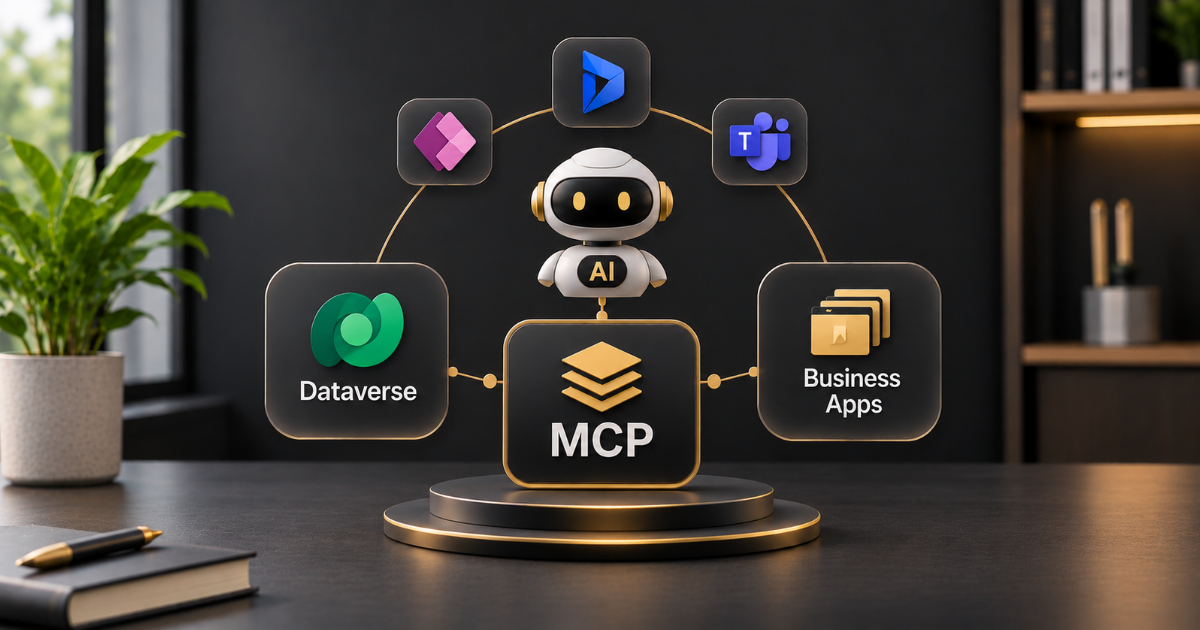
The Model Context Protocol (MCP) was built to solve that problem. It gives AI agents a standard, secure way to access the systems your business actually runs on. For Microsoft customers, that now includes Dataverse, Dynamics 365 and Business Central.
In this guide, we explain what MCP is in plain English, how it connects agents to your business apps, where Microsoft has already enabled it, and what we’d put in place before letting an agent loose on live data.
What is the Model Context Protocol, in plain English?
Think of MCP as a universal adapter for AI. Before USB, every printer, camera and keyboard needed its own cable. MCP does the same job for AI agents and business systems: one agreed way to plug in, rather than a bespoke integration for every pairing.
It’s an open standard, first released by Anthropic in late 2024 and now supported across the industry, including by Microsoft. There are three parts to understand:
- The MCP host (or client): the AI application the person uses, such as a Copilot Studio agent, GitHub Copilot in VS Code, or Claude.
- The MCP server: a layer that sits in front of a business system and tells the agent, “here’s what you can do here”.
- Tools: the specific actions the server offers, like list tables, read a record or create a sales order.
The clever bit is that MCP servers are self-describing. An agent connects, asks what tools are available, and determines which ones to use for the task at hand. No one has to hard-code every step in advance.
Why MCP matters more than “just another connector”
If you’ve worked with the Power Platform for a while, you might be thinking: we already have connectors. Fair point. Connectors aren’t going anywhere, and for fixed, predictable automations in Power Automate, they’re still the right choice.
The difference is who decides what happens next. A connector action is chosen by the person who builds the flow. An MCP tool is chosen by the agent, at runtime, based on what the user has asked.
That makes MCP a much better fit for conversational, open-ended work, where the questions change every day.
| Features | Traditional connector or API | MCP server |
| Who picks the action? | The developer, at build time | The agent, at run time |
| How the agent learns what’s available | Documented manually | The server describes its own tools |
| Reuse across AI tools | Usually one platform | Any MCP-compatible client |
| Best suited to | Fixed workflows and integrations | Conversational agents and open-ended tasks |
For businesses, the practical win is reuse. Build or switch on an MCP server once, and the same governed access works in Copilot Studio today and whichever AI tool your team adopts next year.
Where Microsoft has already switched MCP on
Dataverse MCP server
Dataverse can act as an MCP server, giving agents access to the tables and records behind your Power Apps and Dynamics 365 CRM apps. Once enabled for an environment, an agent can explore your schema, query data in natural language, and, if allowed, create or update records.
It works with Copilot Studio, GitHub Copilot, Claude, and other MCP-compatible clients. Administrators decide which clients are allowed in each environment. That last point is important; more on it below.
One thing to note: Microsoft has already changed the Dataverse MCP toolset’s shape once, so check the current list of tools before designing around it.
Dynamics 365 ERP MCP server (Finance and Supply Chain)
For Dynamics 365 Finance & Operations customers, Microsoft offers the Dynamics 365 ERP MCP server. The newer “dynamic” version opens up a huge range of ERP functions to agents, and the agent works with the same security access as a person in that role would have.
The earlier static version, with a fixed set of 13 tools, will be retired in 2026. If you trialled it last year, plan to move across. You’ll also need a recent version of the finance and operations apps (10.0.47 or the matching quality updates for 10.0.45 or 10.0.46).
Business Central MCP server
Business Central also has its own MCP server. By default, it grants agents read-only access to the API pages you expose, and you configure which pages and operations are allowed. That’s a sensible default: let the agent look before you let it touch.
Copilot Studio as the MCP client
On the other side of the connection, MCP support in Copilot Studio is generally available. You can add an MCP server to an agent in a few clicks, see all the tools it offers, and check the activity map to see which tool was used on each run. That visibility is exactly what your IT and audit teams will ask for.
MCP, A2A and the bigger picture
MCP connects an agent to tools and data. It’s not the same as agents communicating with one another, which is where protocols like Agent-to-Agent (A2A) come in. In practice, you’ll often use both: an agent fetches data via MCP, then hands off the task to a specialist agent via A2A.
We cover that side in our guide to A2A communication in Copilot Studio, and you can see how business context fits in with Microsoft Fabric IQ.
Where MCP still falls short
It’s worth being realistic. Parts of Microsoft’s MCP story are still in preview, and the toolsets are changing between releases, so expect some rework. MCP also doesn’t fix poor data, unclear processes or weak security; it simply exposes them faster.
And not every legacy or on-premises system has an MCP server yet, which is where custom development or Azure Integration Services still earn their keep.
In short, MCP makes connecting agents to your business apps far simpler. It doesn’t remove the need to think carefully about what you’re connecting.
How Stallions Solutions can help
We’ve delivered Microsoft Dynamics and Power Platform projects for over 20 years, and we’re ISO 27001-certified, which matters a great deal once an AI agent has access to your records. We help organisations:
- Enable and secure the Dataverse, Dynamics 365 and Business Central MCP servers
- Design agents in Copilot Studio with the right tools, permissions and guardrails, alongside our Power Platform development team
- Build custom MCP servers for systems Microsoft doesn’t cover, through our .NET and custom development services
- Connect everything together through our D365 integration work
If you’re not sure where to begin, our AI Enablement Programme starts with an AI readiness assessment, or you can book a free assessment of your current setup.
Frequently Asked Questions
What is the Model Context Protocol (MCP)?
MCP is an open standard that lets AI agents connect to business systems, data and tools in a consistent, secure way. An MCP server describes what an agent can do in a system, and the agent chooses the right tools for each request.
What is the Dataverse MCP server?
It’s Microsoft’s MCP server for Dataverse. It lets agents in Copilot Studio, GitHub Copilot, Claude and other MCP-compatible tools explore tables, query records and, where permitted, create or update data in your Power Platform environment.
Is MCP the same as a Power Platform connector?
No. A connector action is picked by whoever builds the flow. An MCP tool is picked by the agent at runtime, based on the user’s request. Connectors remain the better choice for fixed, predictable automations.
Can I use MCP with Business Central?
Yes. Business Central has an MCP server that gives agents read-only access to exposed API pages by default, and you can configure which pages and operations are allowed.
Is MCP secure enough for business data?
It can be, if it’s set up properly. Microsoft’s MCP servers require authentication, respect your existing security roles, and let admins control which clients can connect. You still need clear permissions, monitoring and a read-only starting point.
Ready to connect your agents to the data that matters? Contact our team or book a free A Day On-Site Workshop, and we’ll help you plan a safe first use case.