
Microsoft continues to lead the charge in business transformation with its upgraded AI assistant, Microsoft Copilot, previously known as the Bing AI chatbot. Built on advanced AI technology, Microsoft Copilot delivers smarter, more personalized, and highly efficient experiences across the entire Microsoft ecosystem.
The best part? Copilot is now broadly available to anyone with a Microsoft account.
If you’re ready to explore what it can do, this guide walks you through everything you need to get started, including:
- How Microsoft Copilot works
- Tips for using Copilot effectively
- A comparison between Microsoft Copilot and ChatGPT
How does Microsoft Copilot Work?
Microsoft Copilot marks a major step forward in AI-powered assistance. Fully integrated into the Microsoft 365 ecosystem, it works seamlessly across apps like Word, Excel, PowerPoint, Outlook, and others. You can also use it through Microsoft Edge or the standalone Copilot app available for both Windows and Mac.
Getting started is simple, sign in with your Microsoft account and look for the Copilot icon in the application or toolbar. Much like ChatGPT, you can enter a prompt or question, and Copilot will generate intelligent, context‑aware responses using real-time data and insights from your workspace.
One of Copilot’s most impressive capabilities is its flexible set of response modes, designed to match the style or depth you need:
- Creative Mode: Produces imaginative, original, and exploratory responses.
- Precise Mode: Delivers clear, accurate, and fact‑driven answers.
- Balanced Mode: Blends creativity and accuracy for well‑rounded output.
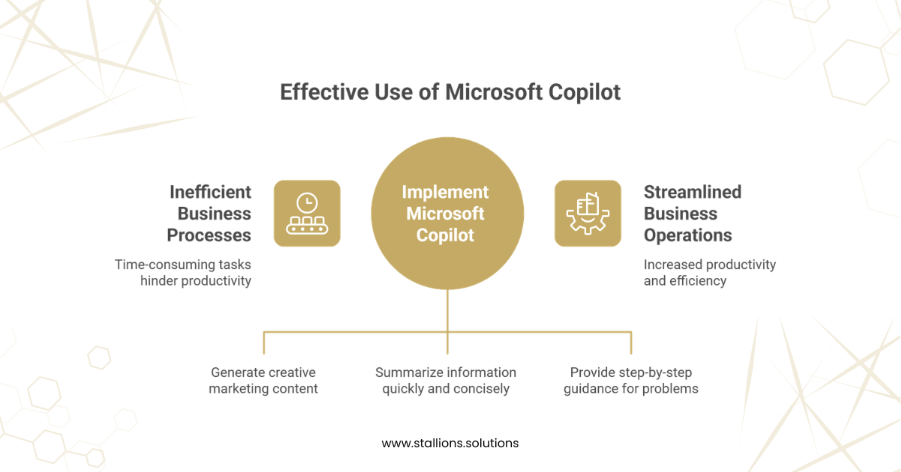
How to Use Microsoft Copilot: 3 Practical Applications
Now that you understand the basics of Copilot, let’s look at three effective ways to put it to work:
1. Brainstorm Content Ideas
Copilot is a powerful creativity booster, especially for marketing tasks like social media captions, blog ideas, newsletters, and product descriptions. For example, if you run an online boutique and need compelling Instagram captions for a new arrival, simply ask Copilot for creative or balanced caption suggestions tailored to your brand’s tone.
2. Streamline Your Research
Copilot shines when it comes to gathering and summarizing information. Whether you’re looking for the latest marketing trends or industry insights, you can prompt Copilot for concise, up-to-date summaries. This helps you save time and confidently move forward with drafting articles, reports, or strategy documents.
3. Troubleshoot Business Challenges
Whether you’re dealing with technical issues or everyday operational problems, Copilot can deliver quick, step-by-step guidance. From diagnosing website downtime to offering practical fixes for routine problems—yes, even something as simple as stabilizing a shaky table—Copilot provides clear, actionable solutions.
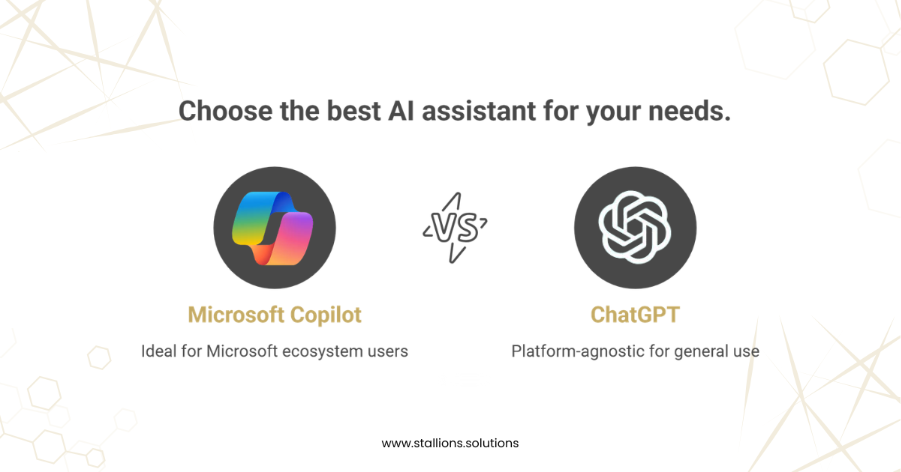
Microsoft Copilot vs. ChatGPT: How Do They Compare?
While ChatGPT has long been recognized as a leader in conversational AI, Microsoft Copilot introduces a unique set of strengths, especially for users working within the Microsoft ecosystem. Here’s a deeper look at how the two tools differ:
1. Customizable Conversation Styles
- One of Copilot’s standout advantages is its adaptive response modes. Users can switch between Creative, Balanced, and Precise styles, allowing Copilot to adjust the tone, depth, and structure of its responses based on your goal.
- Whether you want imaginative brainstorming, fact-driven answers, or something in between, Copilot can tailor its output accordingly.
- ChatGPT offers consistently high‑quality responses but does not provide the same mode‑based customization as a built‑in interface feature.
2. Built‑in Source Transparency
- Copilot places a strong emphasis on verification and trustworthiness.
- Whenever you ask for facts, statistics, explanations, or research-based information, Copilot typically includes citations and links directly within its responses.
- This makes it easier for users especially researchers, students, and professionals to trace information back to credible sources and validate accuracy.
ChatGPT, by contrast, may provide answers without direct citations unless explicitly prompted, potentially requiring additional steps to confirm information.
3. Multimedia‑Enhanced Answers
A major area where Copilot goes beyond ChatGPT is its ability to embed multimedia directly into responses.
Copilot can integrate:
- Images
- Diagrams
- Charts
- Videos
right within the conversation, making explanations more interactive and visually helpful.
While ChatGPT can describe visuals or generate images depending on the version and capabilities, it does not natively embed rich media in the same seamless way Copilot does within Microsoft’s environment.
4. Platform Integration and Accessibility
This is where the two tools differ most significantly.
- Microsoft Copilot is deeply integrated into tools such as Word, Excel, PowerPoint, Outlook, Teams, Microsoft Edge, and the dedicated Copilot app.
This makes it ideal for users who rely on Microsoft 365 workflows.
- ChatGPT, however, is platform‑agnostic.
It can be accessed through any web browser on virtually any device, without requiring a specific ecosystem or application.
As a result, Copilot excels in productivity and business environments tied to Microsoft, while ChatGPT offers broader accessibility for general‑purpose use.
Final Words
Microsoft Copilot is more than just another AI assistant—it’s a transformative tool designed to elevate how businesses work, create, and solve problems. By deeply integrating into Microsoft 365 and offering intelligent features like customizable response modes, source‑backed answers, and multimedia‑enhanced outputs, Copilot stands out as a powerful ally for modern professionals. Whether you’re generating content ideas, streamlining research, or troubleshooting everyday business challenges, Copilot provides fast, accurate, and context‑aware support that fits seamlessly into your workflow.
When compared with ChatGPT, both tools bring tremendous value to the AI landscape. ChatGPT offers broader accessibility and general‑purpose versatility, while Microsoft Copilot delivers a tightly integrated, productivity‑focused experience ideal for businesses already using Microsoft’s ecosystem.
As AI becomes increasingly essential in day‑to‑day operations, tools like Microsoft Copilot empower businesses to work smarter—not harder. Whether you’re a small business owner, marketer, content creator, or corporate professional, embracing Copilot can unlock new levels of efficiency, creativity, and clarity.
In short, leveraging Microsoft Copilot isn’t just beneficial—it’s becoming a competitive advantage.