As organizations increasingly shift their workloads to the cloud, Microsoft Azure has become one of the most prominent platforms driving digital transformation across industries. However, the rapid adoption and scalability of Azure services also introduce new cybersecurity risks.
Although Microsoft provides strong built‑in, infrastructure-level security, the shared responsibility model places the onus on businesses to safeguard their own applications, data, identities, and access configurations within Azure. This makes conducting an Azure cloud security audit essential. Such audits help uncover vulnerabilities, ensure adherence to compliance standards, and strengthen overall security posture in a constantly evolving threat landscape.
Importance of a Security Audit: Why It Matters Now More Than Ever
In today’s rapidly evolving cloud landscape, cyber threats are becoming increasingly sophisticated and persistent. Many organizations mistakenly believe that Microsoft automatically secures every aspect of their Azure environment. This assumption often results in overlooked risks such as misconfigured resources, overly permissive access controls, outdated security policies, and unencrypted sensitive data.
Conducting a comprehensive Azure security audit is essential for uncovering vulnerabilities across your cloud infrastructure. Without consistent and thorough audits, these hidden weaknesses can persist undetected significantly increasing the likelihood of security breaches or compliance failures. Here’s why Azure security audits are more critical than ever:
Prevent Costly Data Breaches
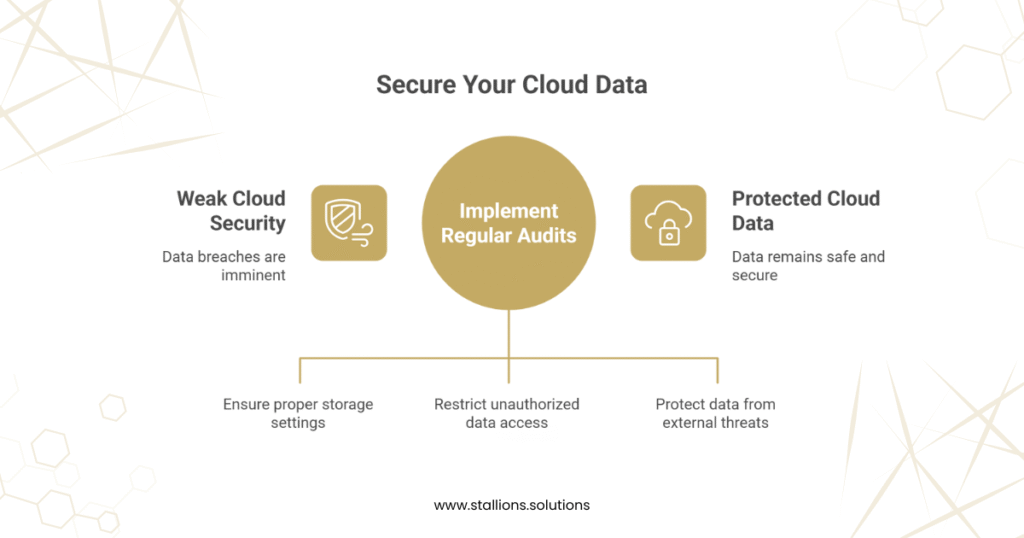
Data breaches remain one of the most damaging outcomes of weak cloud security. Poorly configured Azure storage, insufficient access controls, or exposed endpoints can lead to unauthorized access to confidential financial, employee, or customer information. Such incidents can trigger severe financial losses, legal repercussions, and long-term reputational damage. Regular audits help ensure your data remains protected before attackers can exploit vulnerabilities.
Meet Regulatory Compliance Requirements
Organizations operating in Azure must adhere to strict industry standards like GDPR, HIPAA, ISO 27001, and NIST. Failure to maintain compliance can result in significant penalties and reputational harm. Security audits play a vital role in verifying compliance readiness, identifying gaps, and aligning your Azure configurations with regulatory expectations—before any issues surface during official inspections.
Strengthen Identity and Access Management
Unauthorized access whether through compromised credentials or weak identity controls is one of the leading causes of cloud breaches. Security audits thoroughly evaluate your identity and access management (IAM) practices to ensure proper enforcement of multi-factor authentication (MFA), role-based access control (RBAC), and the principle of least privilege. This minimizes the risk of privilege escalation and unauthorized activities within your Azure environment.
Detect and Prevent Hidden Cost Exploits
Misconfigured or unsecured Azure resources can be exploited for illicit purposes, such as unauthorized crypto mining, which leads to unexpected spikes in cloud consumption and costs. Regular audits help detect unusual activity early, allowing organizations to mitigate cost-related security threats and optimize cloud spending.
Reduce Operational Downtime
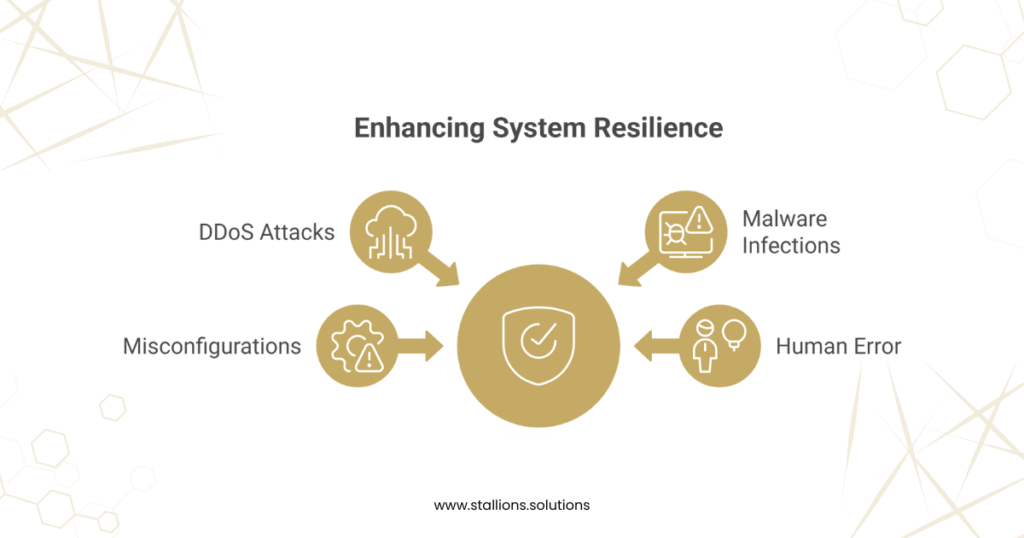
Security incidents whether caused by DDoS attacks, malware infections, misconfigurations, or human error can bring mission‑critical systems to a halt. This disrupts business continuity and can breach service level agreements (SLAs). A thorough Azure security audit enhances your incident response strategy and strengthens system resilience, reducing the likelihood and impact of downtime.
What Does a Security Audit Cover? Your Azure Security Audit Checklist
A comprehensive Azure security audit is essential for evaluating the effectiveness of your cloud security controls and configurations. Regular audits help identify vulnerabilities, prevent security incidents, and ensure your environment meets regulatory and organizational security requirements. Below is the core areas typically included in an Azure security audit checklist:
1. Identity and Access Management (IAM)
IAM ensures that only the right users and applications can access your Azure resources. This part of the audit focuses on validating identity protection, enforcing authentication controls, and ensuring least‑privilege access.
- Role-Based Access Control (RBAC): Evaluate permissions to confirm users and applications only have necessary access.
- Multi-Factor Authentication (MFA): Verify MFA is enforced, especially for administrative accounts.
- Identity Protection: Review Microsoft Entra ID (formerly Azure Active Directory) settings to ensure compliance with identity security policies.
2. Network Security
Network security assessments focus on controlling traffic flow, preventing unauthorized access, and verifying the integrity of your Azure network architecture.
- Virtual Networks & Subnets: Review VNet architecture for proper segmentation and secure design.
- Network Security Groups (NSGs): Examine inbound/outbound rules to restrict unauthorized traffic.
- Firewalls & VPNs: Ensure Azure Firewall and VPN configurations are properly secured to prevent external threats.
3. Data Protection
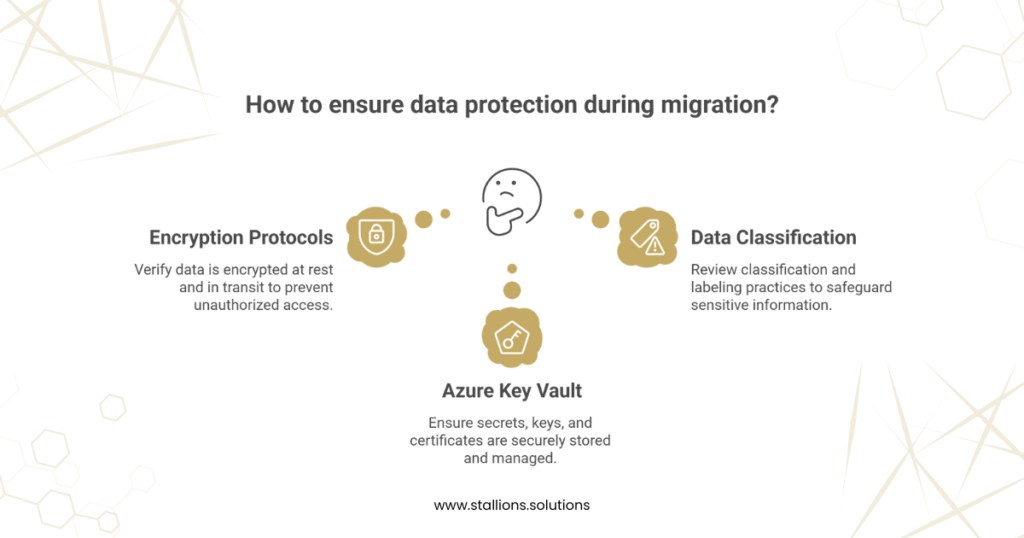
Data protection audits verify that sensitive data is properly encrypted, securely stored, and only accessible to authorized users.
- Encryption Protocols: Check that data is encrypted both at rest and in transit.
- Azure Key Vault: Ensure secrets, keys, and certificates are securely stored and properly managed.
- Data Classification: Review classification and labeling practices to safeguard sensitive or regulated information.
4. Compliance Alignment
Azure environments must align with regulatory standards such as GDPR, HIPAA, ISO 27001, and NIST. A compliance audit evaluates how effectively your setup meets these requirements.
- Regulatory Mapping: Compare Azure configurations against compliance frameworks (e.g., GDPR, HIPAA).
- Compliance Manager Reports: Review built‑in compliance reports to identify risks and remediation needs.
5. Monitoring and Logging
Effective monitoring and logging are essential for detecting unusual activities, investigating incidents, and maintaining visibility across resources.
- Azure Security Center (Defender for Cloud): Ensure continuous monitoring is enabled for real-time vulnerability detection.
- Azure Sentinel (SIEM): Utilize Sentinel for advanced threat detection and centralized incident management.
- Audit Logs: Confirm that audit logs are enabled, retained, and monitored for security investigations.
6. Configuration Review
A configuration audit ensures Azure resources follow security best practices and organizational guidelines, reducing the attack surface.
- ARM Templates: Evaluate templates for secure provisioning and standardized configurations.
- App Service Security: Review application settings to ensure secure coding and deployment practices.
- Virtual Machines (VMs): Check VM configurations, patch levels, and update policies to prevent exploitation.
How to Strengthen Your Organization’s Azure Security Posture
- Enable Multi-Factor Authentication (MFA):
Add an additional layer of identity verification to reduce the risk of compromised user accounts.
- Implement Role-Based Access Control (RBAC):
Apply the principle of least privilege so users and applications only have the access required for their roles.
- Encrypt Data at Rest and in Transit:
Use encryption to safeguard sensitive data from interception or unauthorized access, whether stored or transmitted.
- Configure Secure Virtual Networks and Firewall Rules:
Utilize Azure VNets, firewalls, and network segmentation to control traffic flow and protect cloud resources from external threats.
- Perform Regular Vulnerability Scans and Patch Systems Promptly:
Continuously scan for security weaknesses and ensure timely patching to prevent exploitation.
- Use Continuous Monitoring with Defender for Cloud and Azure Sentinel:
Detect emerging threats, analyze incidents, and respond rapidly with Azure’s built‑in monitoring and threat detection tools.
- Conduct Third-Party Security Audits:
Gain an independent, unbiased assessment of your Azure environment and receive actionable recommendations for improvement.
Protect Your Cloud Investments with Stallions Solutions’ Azure Security Expertise
At Stallions Solutions, we help enterprises gain complete visibility into their Azure cloud environment, reduce security risks, and close compliance gaps through our comprehensive Azure Cloud Security Assessment.
Our expert team performs an in‑depth evaluation of your Azure configurations, identifies vulnerabilities, and delivers clear, actionable recommendations to strengthen your overall security posture.
Our Azure Security Assessment includes:
- A comprehensive audit report outlining vulnerabilities, misconfigurations, and compliance weaknesses
- A detailed risk heatmap highlighting high‑priority security threats
- An actionable remediation roadmap aligned with Azure and industry best practices
- Compliance recommendations for GDPR, HIPAA, NIST, and other regulatory frameworks
- Data encryption assessment for data at rest and in transit
- Network security review, including Virtual Networks, Firewalls, and segmentation
- Vulnerability scanning and penetration testing to uncover exploitable weaknesses
- Continuous monitoring setup using Microsoft Defender for Cloud
- Audit readiness evaluation to support certification and regulatory audits
By partnering with Stallions Solutions, you can significantly reduce the risk of data breaches, improve regulatory alignment, safeguard your organization’s reputation, and ensure uninterrupted business operations. Azure security audits are no longer optional—they are essential. They help you detect threats early, enforce compliance, and build a resilient cloud environment.
To learn more or request your security assessment, contact us at support@stallions.solutions