
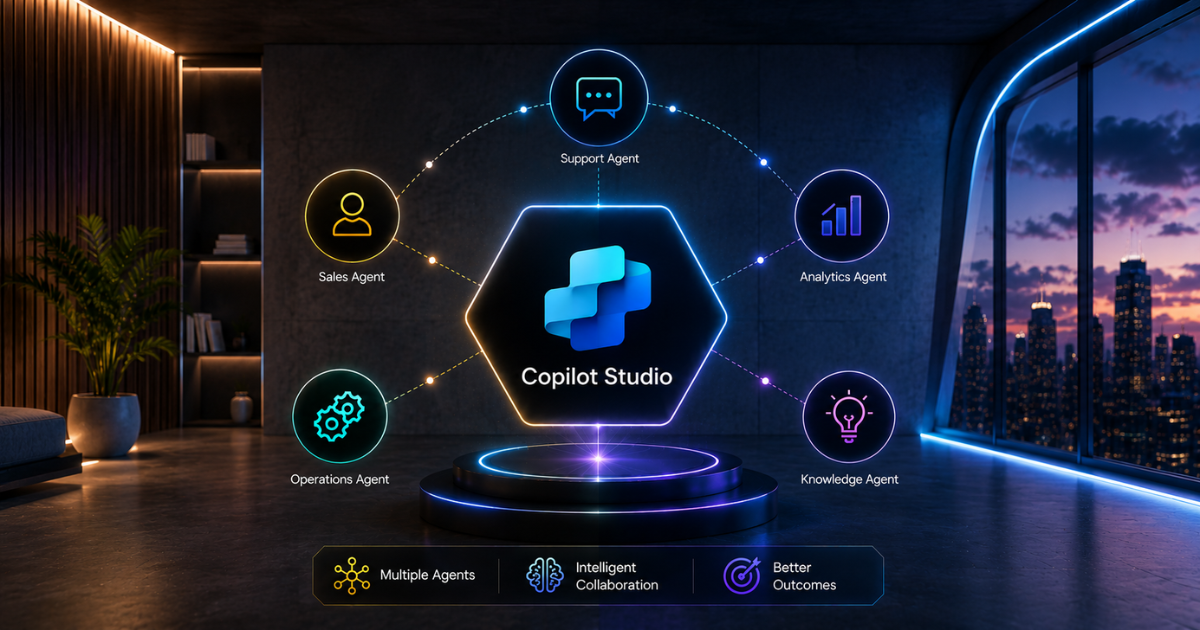
Individual Copilot Studio agents can handle specific tasks effectively, from customer service requests and data processing to workflow automation. However, when each agent operates independently, valuable opportunities for collaboration and streamlined processes can be missed.
But here’s what you’re missing. When agents work together, whether one completes its task and hands it off to another, collaborate to solve complex problems, or coordinate when multiple specialised agents are involved, you unlock genuine enterprise value.
Most organisations never attempt this. They treat agents as standalone tools, overlooking the compounding benefits of orchestrated agent systems, where intelligence multiplies as agents collaborate.
Building multi-agent systems requires a different way of thinking compared with single-agent deployments. You’re no longer building a single smart assistant.
Understanding Multi-Agent Architecture
Multi-agent systems aren’t complicated in theory. The concept is straightforward. Multiple specialised agents work together, each handling their area of expertise and coordinating through defined communication patterns.
Imagine a professional services firm where one partner focuses on strategy, another on implementation, and a third on managing client relationships. Each partner specialises in their respective areas, but the firm’s overall value depends on how effectively they work together.
The strategy partner shares insights, the implementation partner executes, and the client partner ensures satisfaction. This coordination multiplies value.
Copilot Studio enables this pattern within your organisation. You build specialised agents, define how they communicate, establish handoff protocols, and create workflows in which agents collaborate intelligently.
The key components:
- Specialised agents. Each agent specialises in a single domain, including customer data analysis, document processing, decision logic, and external system integration.
- Agent communication. Agents exchange information through structured handovers. Agent A completes its work and explicitly passes context to Agent B.
- Orchestration layer. Some system coordinates determine which agent should handle specific tasks. This may involve decision logic, user input, or other agents making routing choices.
- Feedback loops. Results flow back to inform subsequent steps. Success triggers new actions. Problems escalate or reroute.
The architecture sounds complex. Implementation is surprisingly practical.
Why Single Agents Aren’t Enough
A single agent handles one workflow well. It takes input, processes information, and produces output. This approach is straightforward and effective for bounded problems.
But real enterprise problems are messy. A customer service issue might require understanding the customer’s history, checking product inventory, researching policy details, verifying payment status, and coordinating follow-up actions. That’s five distinct knowledge domains.
One agent trying to do everything faces serious problems:
- Knowledge explosion. The agent needs extensive training and extensive rule sets to try to cover everything.
- Maintenance nightmare. Updating one part of the logic breaks something else. Changes compound complexity.
- Poor specialisation. A generalist agent performs worse than specialists. Like having one doctor trying to be a cardiologist, surgeon, and therapist all at once.
- Limited scalability. Adding new capabilities means retraining and retesting the entire agent.
A customer service agent who tries to manage everything ultimately struggles. It makes errors because it is overwhelmed across numerous areas. Its responses are slow because it’s navigating complex decision trees. Additionally, it’s difficult to implement improvements because any change affects the entire system.
A multi-agent architecture addresses this by enabling each agent to focus on a specific area. The customer history agent manages customer data, the inventory agent manages product availability, and the policy agent oversees terms and conditions. Each agent becomes highly skilled in its domain.
The Multi-Agent Advantage
When agents specialise and coordinate, three things happen.
First, quality improves. A specialist agent makes better decisions than a generalist. The inventory agent has a deep understanding of stock levels, reorder points, and availability. It makes smarter suggestions than a generalist agent juggling inventory alongside ten other responsibilities.
Second, maintenance becomes manageable. You update the inventory agent without touching customer logic. Changes remain isolated. Risk decreases. Improvements happen faster.
Third, scaling becomes possible. Add a new agent for shipping coordination. It works alongside existing agents without requiring extensive retraining. Your system grows by adding specialised capabilities, not by complicating existing agents.
An insurance company deployed a multi-agent architecture for claims processing. The intake agent gathers claim information. The validation agent checks completeness. The assessment agent evaluates coverage.
The decision agent determines approval. The communication agent notifies the customer. Each agent specialises and improves continuously. The system handles complex claims that single-agent solutions couldn’t.
Our Power Platform Development and AI Enablement Programme teams have built systems exactly like this. We understand the architecture and implementation patterns.
Designing Your Multi-Agent System
Creating multi-agent systems requires careful planning before implementation. Ignoring this step can lead to chaos, with agents overlapping, making conflicting decisions, and lacking proper coordination.
Start with agent mapping. What tasks does your workflow require? Which of those can be assigned to separate agents? A customer service workflow might include: an intake agent (gathering requirements), a knowledge agent (researching solutions), a recommendation agent (suggesting options), an approval agent (verifying feasibility), and a communication agent (notifying the customer).
This isn’t about maximising the number of agents. It’s about a logical separation of concerns. Each agent should have a clear responsibility. Too many agents create coordination overhead. Too few means agents become bloated.
Define handoff protocols. How does one agent pass work to the next? What information must be transferred? What triggers the handover? These details determine whether your system coordinates smoothly or becomes stuck.
An agent completes its work and says, “I’ve validated this request. Here’s what I found. Please route to the recommendation agent with this context.” Clean handovers are critical.
Establish communication patterns. Agents can communicate in different ways. Sequential handoffs (Agent A → B → C). Parallel processing (multiple agents work simultaneously, with results combined). Hierarchical (one agent coordinates multiple subordinate agents). Your architecture determines which patterns are suitable.
Plan for exceptions. What should happen if an agent fails to complete its task? Should it escalate to a human, reroute to another agent, or retry with different logic? Exception handling is essential to real-world reliability.
Developing the integration process
Implementation requires more than Copilot Studio alone. You’re typically integrating with Dynamics 365, enterprise data systems, and external platforms. This is where Azure Integration Services becomes critical.
The integration stack typically includes:
- Copilot Studio agents for AI-driven decision-making and conversation
- Dynamics 365 for CRM data, customer context, transaction records
- Power Automate for workflow orchestration connecting agents
- Azure services for complex integration, data processing, external system connections
- Data platforms providing information agents need to make decisions
A financial services company built multi-agent systems that integrate Copilot Studio, Dynamics 365 for customer data, Azure for document processing, and external systems for compliance checks. Each agent accessed the data it required.
Power Automate orchestrated the workflow. Complex financial decisions that previously required manual processing now flow through the agent system, with human oversight at critical decision points.
The Strategic Advantage
Organisations building mature multi-agent systems gain significant competitive advantages. They handle complexity that competitors can’t.
They process volumes that would require more staff for competitors to manage. Their systems improve continuously as agents learn from real-world workflows.
By 2026, multi-agent systems will be standard for sophisticated automation. Early adopters who build these capabilities now will have a substantial advantage.
FAQs
Do we need Dynamics 365 to build multi-agent systems in Copilot Studio?
Not necessarily, but it helps significantly. Dynamics 365 provides customer context, transaction data, and system integration that many workflows require. You can build multi-agent systems without it, but integration becomes more complex. Most enterprise deployments benefit from integrating with Dynamics 365.
How many agents should a typical system have?
Prioritise quality over quantity. A well-designed system usually includes 3-5 specialised agents, whereas a larger enterprise system may have 8-10. Having more than that often indicates agents lack proper specialisation, as they tend to handle too many tasks individually or duplicate efforts.
What if one agent in the system fails?
Proper design includes fallback logic. If an agent can’t complete its task, the system should route to a human or an alternative path. Redundancy at critical decision points prevents single points of failure. This is part of the exception handling you build into the design.
Can agents from different systems talk to each other?
While theoretically feasible, implementing it in practice is challenging. Agents within Copilot Studio work together smoothly, but connecting to external AI systems requires careful API development and data formatting. Most configurations focus on internal multi-agent collaboration within Copilot Studio.
How do we measure if multi-agent systems are working?
Track the same metrics you would use for any automation: resolution time (faster is better), human touchpoints (fewer is better), quality and accuracy (higher is better), volume processed (higher capacity), and cost per transaction (lower is better). Most organisations see measurable improvement within 6-8 weeks of deployment.
