Vesting day doesn’t care how complex your systems are. On 1 April, a brand-new council opens its doors, yet residents still expect their bins to be collected, their council tax accounts to be correct, and their planning applications to be exactly where they left them.
That’s the quiet challenge of local government reorganisation. Structural decisions get the headlines, but IT systems determine whether day one feels seamless or chaotic.
This guide covers what LGR means for council CRM, finance, and case systems; where data usually goes wrong; and a phased approach to bringing merged councils onto Dynamics 365 without losing records or service continuity.
What LGR means for council CRM, finance and case systems
Most two-tier areas in England are now moving towards new unitary authorities. Surrey’s two new councils go live in April 2027, and most other areas are working towards April 2028, with some timetables moved to 2029 after the government’s review this autumn.
You can follow the latest milestones on the LGA’s local government reorganisation hub.
Regardless of your date, the systems question remains largely the same. District and county councils were never designed to share data.
One might run customer contact in Dynamics 365, another on an ageing on-premises CRM, and a third on a mix of email inboxes and line-of-business apps. Finance teams face the same story, with different ledgers, charts of accounts, and supplier lists.
In practice, LGR touches three big areas:
- Customer and case systems: contact centre CRMs, waste and street scene requests, licensing, housing, planning and anti-social behaviour cases.
- Finance and ERP: general ledgers, purchase-to-pay, income collection and budget reporting, often across very different setups.
- Integrations: the links into back-office systems such as waste platforms, payment providers and planning portals, which are easy to forget until they break.
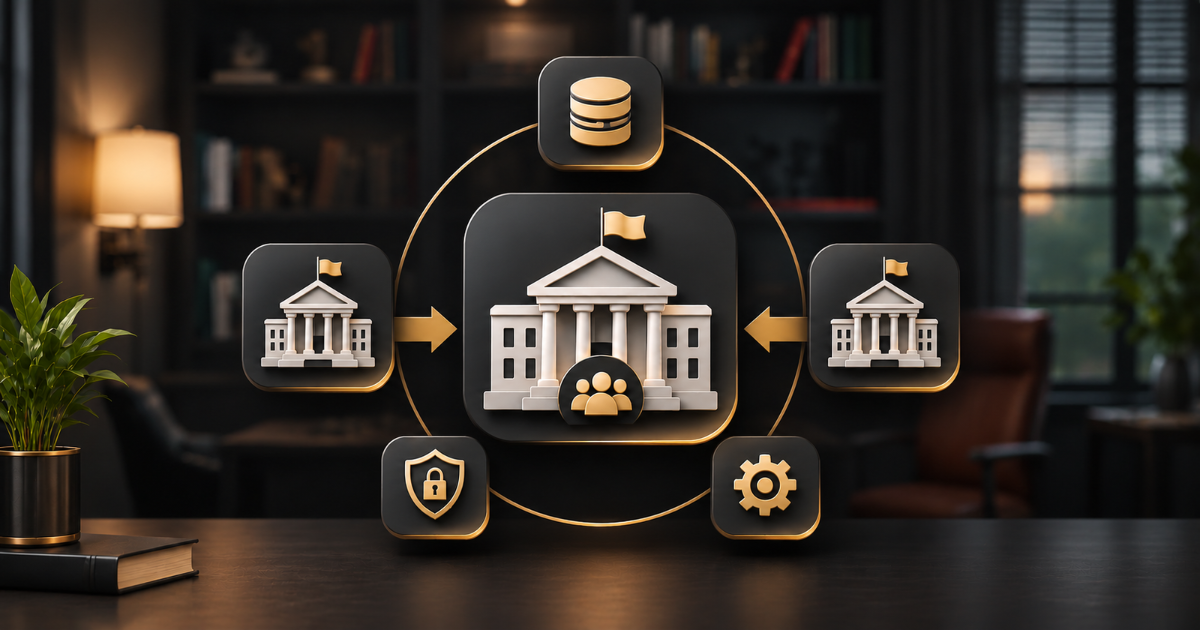
The new council needs one joined-up view of every resident and every pound. Getting there is a migration project, not a simple switch-over.
The risks that keep IT leads awake before vesting day
In my experience, the same challenges arise in nearly every council merger. While none are unusual, they can all be avoided through adequate planning.
| Risk | What it looks like on day one | How to prevent it |
| Duplicate records | The same resident appears three times with slightly different addresses | Agree matching rules early (UPRN, name, date of birth) and de-duplicate before migration, not after |
| Lost case history | Open complaints or licences arrive without notes, documents or audit trail. | Map every case type and decide what migrates in full, what is archived and what is linked. |
| Downtime | Contact centre staff can’t log requests during cutover weekend | Plan a phased cutover with fallback options and a tested rollback |
| Broken integrations | Missed bin reports never reach the waste crews | Inventory every integration and test each one end to end before go-live |
| Data protection gaps | Personal data is copied without a clear lawful basis or retention rule | Run a DPIA and agree retention with your information governance team |
That last row deserves a moment. Merging councils means moving a lot of personal data, sometimes sensitive. The ICO’s UK GDPR guidance is a useful reference, and your data protection officers should be in the room from the first planning session, not the last.
A phased migration roadmap for merging councils onto Dynamics 365
Trying to move everything in one big weekend is how councils end up on the local news. A phased approach keeps services running and gives you time to fix problems before residents notice. This is the shape we typically follow for a D365 migration in a reorganisation.
- Discover (now to 18 months out): list every system, data set, integration and contract across all predecessor councils. Note renewal dates, because some contracts will end before vesting day and some long after it.
- Design the target model: agree one set of service processes, case types and finance structures for the new council. This is where you decide what “good” looks like, not just where the data goes.
- Cleanse and match: de-duplicate residents, properties and suppliers across councils, using UPRNs and agreed matching rules. Clean data before you move it; it’s far cheaper than cleaning it afterwards.
- Build and migrate in waves: start with lower-risk services, such as general enquiries, then move on to waste, licensing and finance. Run trial migrations and reconcile record counts every time.
- Parallel running and cutover: keep legacy systems read-only for a period, so staff can check history while working in the new system. Plan cutover weekends carefully and always have a tested way back.
- Stabilise and decommission: support staff closely for the first weeks, fix the small things quickly, then retire old systems and archive what you need to keep for legal reasons.
One important consideration is that not everything needs to be fully integrated on the vesting date. A “safe and legally compliant” first day, with some systems connected rather than migrated, is often the more prudent approach. Full consolidation can take place in the following months.
Bringing staff with you across merging authorities
Technology is only half the job. Staff in merging councils often face uncertainty about roles, new managers, and new ways of working all at once. Adding a new system on top of that can feel like one change too many.
What tends to help:
- Involve frontline teams early. Contact centre advisers and caseworkers know where the old processes break. Bring them into design workshops, not just training sessions.
- Pick champions from every predecessor council. People trust colleagues they already know, and it avoids the feeling that one council is “taking over” another.
- Train on real scenarios. A missed bin, a licence renewal, a housing enquiry. Role-based training sticks far better than a tour of every screen.
- Be clear about what’s changing and when. Short, regular updates beat one long email the week before go-live.
- Plan extra support for the first month. Floorwalkers, quick-reference guides and a simple way to report issues make a real difference to confidence.
If you’re also planning how AI fits into the new council, our AI roadmap for UK councils covers how to sequence that alongside reorganisation without overloading staff.
How Stallions Solutions supports councils through LGR
We’ve worked with local authorities for many years, and we’re ISO 27001-certified, which matters when you’re moving residents’ personal data between systems. You can see examples of that work in our local government case studies.
For many merging councils, the fastest route to a single platform is LGIntelliware, our cloud solution for councils built on Dynamics 365 and the Power Platform.
It brings the contact centre, resident self-service portal, case management and reporting together in one place, with ready-made integrations to common council systems such as waste, payments and planning.
Rather than rebuilding every service from scratch for the new authority, you start from a proven base and configure it around your agreed processes.
We can help at any stage, from the first systems inventory through to data cleansing, migration, cutover and post-go-live support.
Frequently Asked Questions
What does local government reorganisation mean for council IT systems?
It means predecessor councils’ CRM, finance, case management, and integration systems need to be brought together so the new unitary authority has a single view of residents, cases, and finances. This usually involves a mix of migration, consolidation, and, in some cases, temporary system links.
When should councils start planning system migration for LGR?
As early as possible, ideally 18 months or more before vesting day. Discovery, data cleansing, and contract reviews take longer than most people expect and must occur before any migration begins.
How do you avoid duplicate resident records when councils merge?
Agree on matching rules early, using reliable identifiers such as UPRNs, names, and dates of birth. Then de-duplicate before migrating, with clear rules for which record takes precedence when details conflict.
Do all systems need to be merged by vesting day?
No. Many councils aim for a safe, legal day one, where critical services operate reliably, systems are linked rather than merged, and full consolidation follows.
Why use Dynamics 365 for a merged council?
Dynamics 365 and the Power Platform give the new council a single, cloud-based platform for customer service, case management and reporting, with strong security controls and the flexibility to adapt as services settle into their new shape.
Facing a reorganisation in your area? Book a free assessment, and we’ll help you map your systems, risks and a realistic route to vesting day.