
Your team spends its days on work machines that should be researching companies, writing and sending emails, following up with nonresponders, and identifying prospects who aren’t a fit.
Repeated hundreds of times each month, this necessary work burns out your best people. Microsoft has built an agent to handle it.
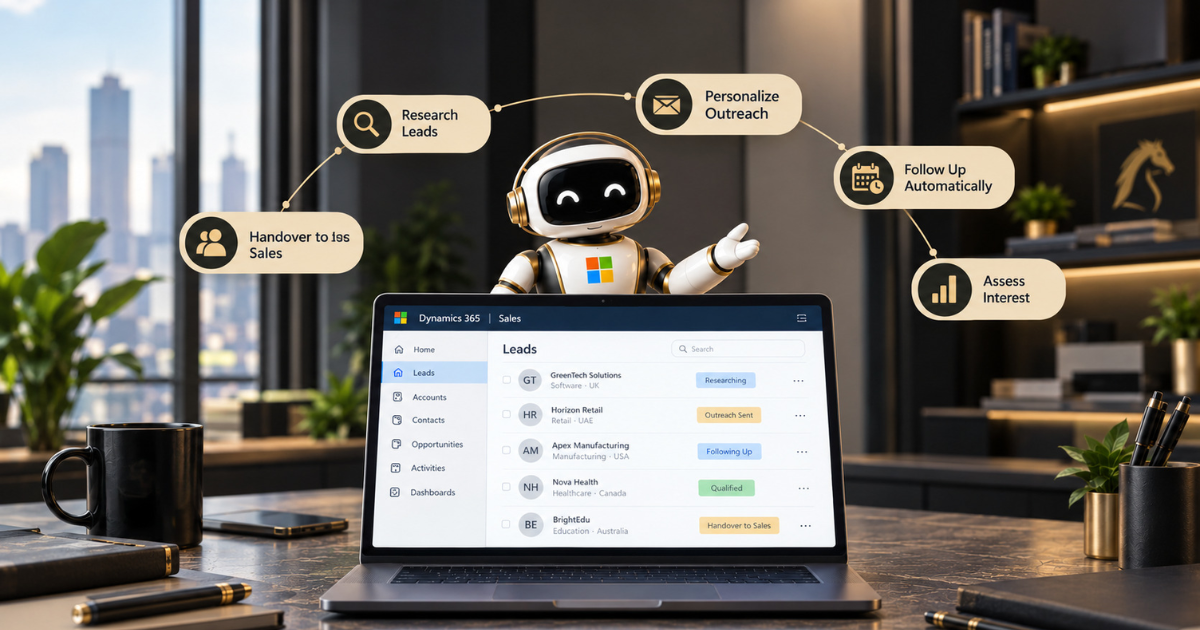
Dynamics 365’s agent manages the SDR process end to end. It researches leads using CRM data and public information, personalises outreach, follows up, and assesses prospect interest.
Only qualified leads reach a human. It’s not a sidebar chatbot, but an early-stage pipeline that runs 24/7 without exhausting your team. Here’s how it works and what to set up before it emails prospects on your behalf.
Why Early Pipeline Work Kills Sellers
Leads come faster than people can handle them. Good ones go cold while someone’s stuck researching trash. Teams change. Processes change. Good opportunities disappear.
The damage isn’t dramatic. It’s slow. A reply that’s two days late. A lead nobody really looked at. A seller wasting Friday on someone who was never buying anyway. Add that up across a pipeline, and it’s massive.
What the Agent Actually Does
The core is the Sales Qualification Agent. Microsoft released it in October 2025. Its job is to work every lead properly. Always.
It researches each lead using your CRM, public web data and internal knowledge. It writes personalised outreach, follows up when no one replies, answers questions, and checks whether the lead needs what you sell, can afford it, and wants to buy. Only the best leads go to a human seller.
You control who it chases. Set geography filters. Product filters. Lead value filters. Define your ideal customer, and it judges fit the way you would. It can also use your knowledge base, so emails include real case studies instead of generic junk.
Two Modes, and Why It Matters
Read this twice. The agent runs two ways. The difference is huge.
Research-only mode analyses leads and drafts outreach. A seller reviews it. Send it. Nothing goes out without a human saying yes.
Research and engagement mode is different. The agent sends the outreach itself. Handles replies. Keeps the conversation going. For that, it needs a shared mailbox with server-side sync between Dynamics 365 and Exchange.
One thing catches people: you can move from Research-only to Research and engage later. You can’t go backwards. Start careful. Microsoft suggests running a simulation first.
Check the emails are right before anything hits a real prospect. That’s smart. Prove it in Research-only. Read what it writes. Then decide. Full setup is on Microsoft Learn.
Where the Names Get Messy
This is the awkward part. Microsoft has multiple sales agents. Names overlap.
The Sales Qualification Agent handles leads in Dynamics 365. The Sales Agent in Microsoft 365 Copilot is different—it’s a chat hub for sellers, which we covered in our Copilot for Sales guide.
Then there’s a newer Sales Development agent. According to Microsoft notice MC1464732 (reported by Sirocco Group), it takes leads from a qualified opportunity through to a closed deal.
In preview, it did outreach, qualification and handoff using playbooks and product docs you upload. From late September, it also handles autonomous quoting and closing for simple sales.
Practical thing: some of these are still in preview. Names change. What’s available keeps shifting. Check what’s actually in your tenant before you build a plan around any of them.
What Happens at Handover
An agent that never hands over is just spam. Handover is where this actually earns money.
When a lead fits your target profile and BANT criteria, replies positively or shows real intent, it goes to a seller using an assignment rule your admin sets.
The seller gets a summary showing everything that happened. They walk into a conversation that’s already started. No cold restart. No asking the lead to repeat themselves.
That’s the right split. The agent handles the boring work. The human shows up when a relationship truly matters.
Is It Actually Any Good?
Fair question. Microsoft tested it against ChatGPT using their Sales Qualification Bench. The agent scored 6% higher on lead research, and better on relevance and completeness. It uses agentic retrieval-augmented generation to dig deeper into each lead, the same technique we explain in our RAG pipelines guide.
One thing: Microsoft tested its own product. Treat it as useful, not the final word. Your own test will teach you more.
Before It Emails Anyone
An agent writing to prospects speaks for your brand. That deserves thought.
Get basics right first. Is your CRM data clean enough for good research? Messy lead records mean weak outreach. A single customer view matters. Is your ideal customer profile actually defined or just a vague idea? Who owns the agent? Who reviews what it sends?
Then governance. An agent acting for you needs its own identity, clear permissions, an audit trail—we cover that in our guide on securing AI agents with Microsoft Entra ID. Read our piece on responsible AI in practice before anything goes out under your name.
On licensing, third-party guidance says these Dynamics 365 Sales agents typically need a Dynamics 365 Sales licence plus consumption-based capacity. Confirm exact details with your Microsoft partner before you promise a rollout date.
Final Thoughts
The Sales Development agent isn’t about removing sellers. It’s about stopping skilled people from spending weeks on research and first emails that an agent can do faster and more consistently.
Teams that get value start in Research-only mode, keep their CRM data clean, and govern the agent like any other team member who speaks for the company.
Want help deploying sales agents in Dynamics 365 safely? Our AI Enablement Programme takes teams from first test to live without the usual failures. We’re an ISO 27001-certified Microsoft partner.
We get governance right before anything goes live. Book a free assessment, and we’ll show you where an agent can earn its place. Honest advice. No sales pitch.
Frequently Asked Questions
What does the Sales Qualification Agent do?
It researches leads using CRM data, public sources, and internal knowledge; drafts or sends personalised outreach; follows up; checks buying intent; and hands qualified leads to a human.
What’s the difference between Research-only and Research and engage mode?
Research-only: agent drafts emails for a seller to review and send. Research and engage: agent sends emails and replies to leads itself. You can upgrade from the first to the second. Can’t go backwards.
Is the Sales Development agent the same as the Sales Qualification Agent?
No. Sales Qualification Agent focuses on lead qualification. Sales Development Agent is newer and takes leads from a qualified opportunity through to a closed deal. Check your tenant for what’s available.
Does the agent replace sales development reps?
No. It handles repetitive research and first-touch work so people can focus on conversations that need judgment. It hands over qualified leads instead of closing everything alone.
What do we need in place before using it?
Clean CRM data. Defined ideal customer profile. Shared mailbox set up for Research and Engage mode. Clear ownership. Governance around identity, permissions and review.
