

Implementing an ERP or CRM system is not just a technical upgrade, it is a transformation that affects business processes, data strategies, and long-term scalability. With high‑risk complexities in enterprise-level implementations, organizations need a structured, repeatable, and dependable framework.
Microsoft Dynamics Sure Step provides exactly that. Designed specifically for the Microsoft Dynamics ecosystem, Sure Step is a full lifecycle methodology that delivers predictable results for implementations, upgrades, and ongoing support.
In this technical blog, we explore the architecture, phases, project types, and benefits of the Microsoft Dynamics Sure Step methodology — tailored for architects, consultants, solution engineers, and implementation specialists.
What is Microsoft Dynamics Sure Step?
Microsoft Dynamics Sure Step is a scalable, prescriptive project management and implementation methodology created to support ERP and CRM solution delivery across:
- Dynamics 365 Business Central
- Dynamics 365 Sales / CE
- Dynamics GP, NAV, AX (legacy)
- Dynamics 365 Finance & Operations
Sure Step provides:
- Frameworks
- Tools
- Templates
- Best Practices
- Task-Based Accelerators
Its purpose is to ensure that every Dynamics project achieves process alignment, risk reduction, scope clarity, and optimized delivery timelines.
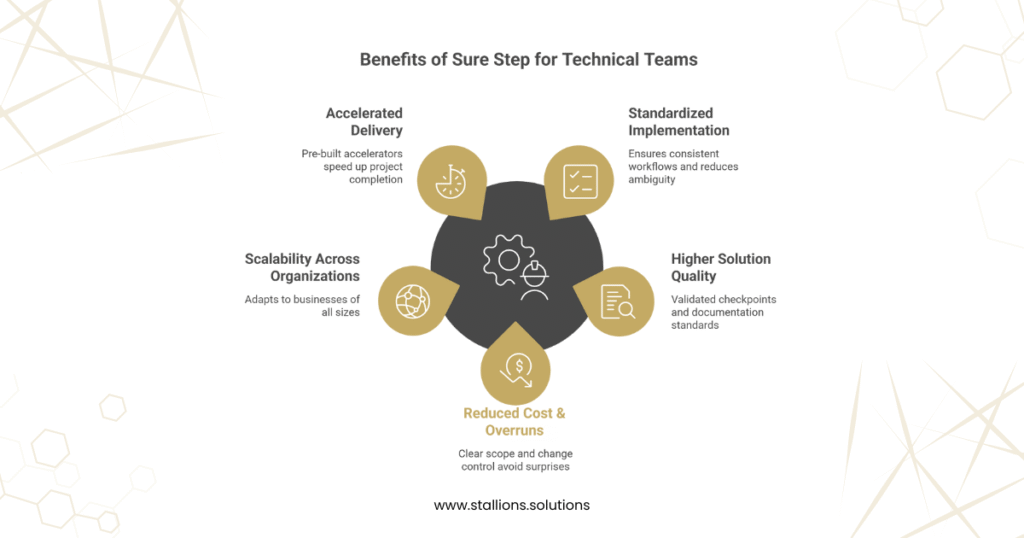
Why Sure Step Matters for Technical Teams
Standardized Implementation
Engineers and solution architects follow structured workflows, reducing ambiguity and rework.
Higher Solution Quality
Technical deliverables, integrations, configurations, customizations follow validated checkpoints and documentation standards.
Reduced Cost & Overruns
Clear scope definition, change‑control, and iterative validation help avoid late‑stage surprises.
Scalability Across Organizations
Whether you’re implementing for a small business or a multinational enterprise, Sure Step adapts.
Accelerated Delivery
Using Sure Step accelerators, technical teams get access to pre‑built:
- design templates
- test scripts
- configuration documents
- migration frameworks
Sure Step Project Types
Sure Step accommodates multiple project scenarios, each with different complexity levels.
1. Standard Projects
Used for single‑site implementations with moderate customization.
Ideal for:
- SMEs
- Out‑of‑the‑box features with minor enhancements
- Quick-to-medium timelines
2. Rapid Projects
Optimized for fast delivery, with strict scope control.
Used when:
- Business processes are simple
- Little to no customization is required
- Predefined templates can be applied quickly
3. Enterprise Projects
For large, multi‑site, multi‑department deployments with heavy customization.
Includes:
- Custom development
- Integration with legacy systems
- Multi-phase rollouts
4. Agile Projects
Designed for iterative development cycles.
Best for:
- Complex customizations
- Continuous evolution based on stakeholder feedback
- MVP-based deployments
5. Upgrade Projects
Focused on migrating:
- legacy AX / NAV / GP to D365
- on‑prem ERP to cloud deployments
Uses structured upgrade assessments, data migration strategies, and compatibility testing.
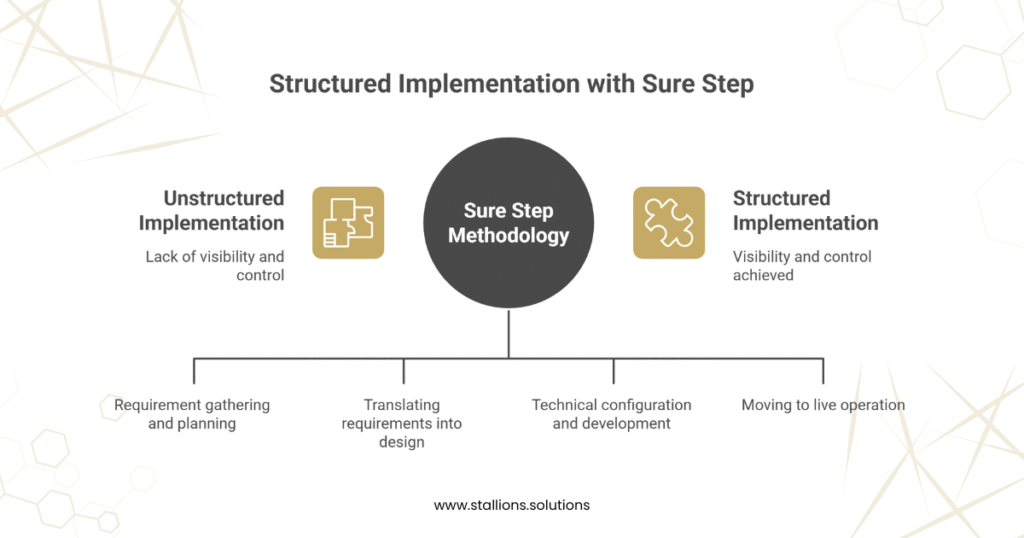
Phases of the Microsoft Sure Step Methodology
Sure Step breaks the implementation into structured lifecycle phases, ensuring visibility and control.
1. Analysis Phase
A collaborative, discovery‑driven stage focused on requirement gathering.
Key Technical Activities
- Business process workshops
- Fit-gap analysis
- Infrastructure and environment planning
- Data discovery and mapping
- High‑level architecture definition
Deliverables
- Solution Blueprint
- Project Charter
- Scope Document
- High-level Architecture Diagram
2. Design Phase
Translating requirements into a system design.
Technical Tasks
- Functional & technical design documents (FDDs, TDDs)
- Integration architecture
- Data model and migration plan
- Security roles definition
- Customization design
Deliverables
- FDD/TDD packages
- Data Mapping Sheets
- Integration Design Document
- Project Plan Update
3. Development / Industry-Focused Build
Where the technical configuration and development take place.
Technical Workloads
- System configuration
- Custom extension development
- API and integration development
- Data migration execution (ETL)
- Unit & functional testing
- Performance tuning
Deliverables
- Configured D365 environment
- Custom modules/extensions
- Integration scripts
- Migration tools & trial loads
4. Deployment & Operation
Moving from build to live operation.
Deployment Activities
- End-user training & UAT
- Final migration
- System cutover
- Production environment setup
- Go-live & hypercare support
Operational Focus
- Monitoring
- Performance optimization
- Post‑implementation audit
- Support handover
Deliverables
- Go-live checklist
- Migration completion report
- Support transition document
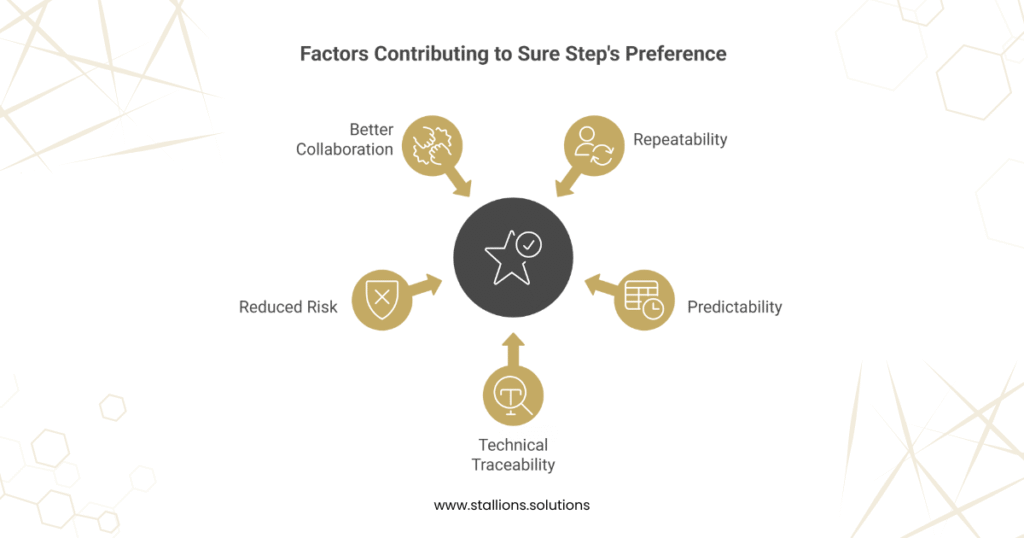
Why Technical Teams Prefer Sure Step
1. Repeatability
Every project uses the same structured approach, reducing engineering variability.
2. Predictability
Clear phase gates and deliverables make timelines far more consistent.
3. Technical Traceability
Design decisions, code changes, and configurations are always documented.
4. Reduced Risk
With detailed analysis and validation at every step, implementation failures are significantly minimized.
5. Better Collaboration
Functional consultants, technical developers, and project managers work in sync with defined roles and workflows.
Conclusion
Microsoft Dynamics Sure Step is more than a project methodology — it is a strategic toolset that ensures successful ERP and CRM implementations. From clear documentation to structured lifecycle phases, Sure Step gives technical teams the confidence, clarity, and control needed to deliver high‑quality Dynamics solutions.
Whether you are deploying Dynamics 365 Business Central, D365 Sales, or performing an enterprise‑scale transformation, Sure Step empowers your organization to achieve a smooth, efficient, and risk‑free implementation journey.
