
Your intranet is broken. Not technically. It works fine. But nobody uses it. Information gets lost. Employees search Google for company information instead of looking internally. Knowledge lives in email inboxes that nobody can find.
New employees spend weeks searching for answers that already exist somewhere. Your intranet has become a document graveyard instead of the knowledge hub it should be.
This is the core intranet problem. Organisations invest in SharePoint, fill it with information, only to see adoption decline. Employees revert to email, meetings increase, and knowledge remains scattered. Technology works; the strategy has not.
Copilot changes this equation. By turning SharePoint from a content repository into an intelligent assistant, you transform how employees find answers, collaborate, and work. Technology exists. The approach is proven. Organisations are deploying this now.
Here’s what happens when you implement Copilot in SharePoint.
Understanding Copilot in SharePoint
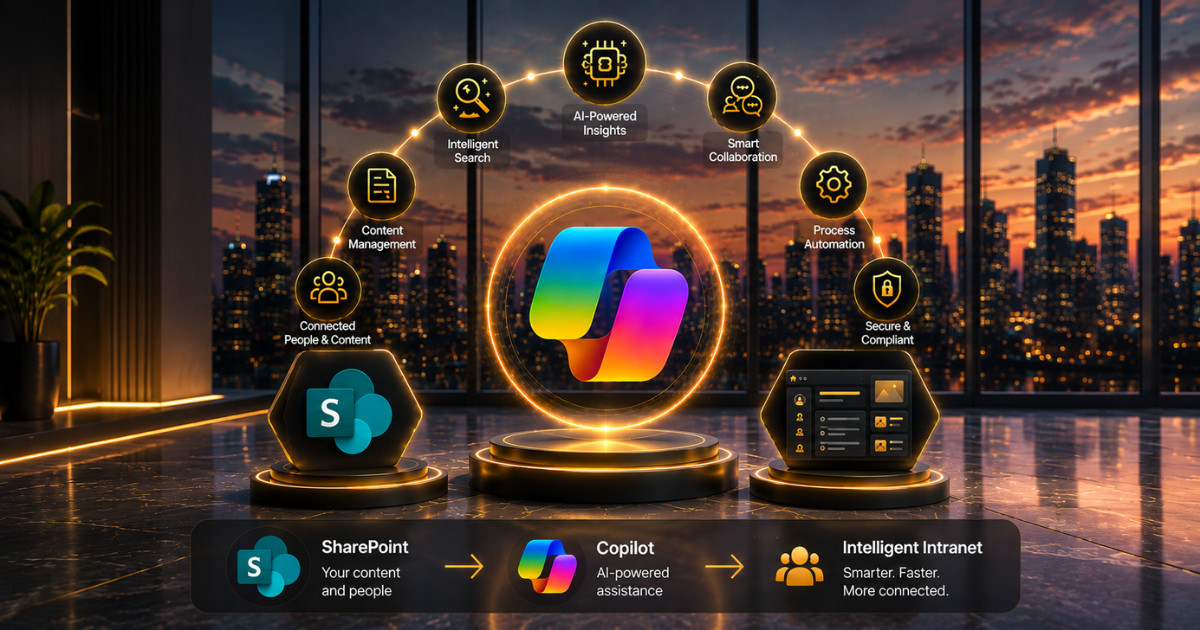
Copilot is not a separate tool added to SharePoint. Instead, it is embedded intelligence that understands your organisation’s knowledge, learns the connections between pieces of information, and helps employees find answers immediately.
When an employee searches your intranet, Copilot doesn’t just match keywords. It understands context. It recognises relationships between documents. It synthesises information from multiple sources.
It answers questions as a knowledgeable colleague would, with relevant context and connections. Our consulting services help organisations architect this correctly from the start.
What changes operationally:
- Employees ask natural language questions instead of searching keywords
- Search results improve dramatically because Copilot understands intent
- New information gets discovered and connected automatically
- Compliance and knowledge management improve as connections surface
- Training time decreases because answers are immediately accessible
- HR, IT, and support teams handle fewer repetitive questions
This is why organisations see immediate ROI. The intranet finally works the way people expected, and adoption increases because finding answers is easier.
Your SharePoint and M365 implementations are finally delivering actual value. For government agencies implementing local government solutions, this is transformational.
The Employee Experience Transformation
Before Copilot: Employees need information. They search the intranet with generic keywords. They get hundreds of irrelevant results. They give up. They email HR or IT. They wait for a response. Productivity stalls.
After Copilot: An employee asks a natural question. Copilot understands the context. It finds relevant information across multiple SharePoint sites, documents, and teams. It synthesises the answer. Employees get what they need in seconds. Productivity continues.
The difference isn’t incremental. It’s transformational.
Real examples:
- New hire asks, “What’s our remote work policy?” Copilot synthesises policies from HR sites, team guidelines, and management documents into a clear answer
- Employees need compliance documentation. Copilot finds relevant documents, highlights key sections, and explains requirements.
- Managers searching for project history. Copilot connects related projects, shows evolution, and provides context impossible through traditional search
Adoption increases because the tool works. Employees use it because it delivers value. Knowledge moves rather than gathering dust in forgotten folders. Your AI capabilities finally empower people.
Building Knowledge Foundations
For Copilot to perform at its best, your knowledge needs to be well organised. While it is intelligent, Copilot functions most effectively with structured information.
Prerequisite setup:
- Clean up orphaned documents and outdated content
- Organise information hierarchically and logically
- Establish metadata and tagging standards
- Connect related information through links and references
- Identify knowledge owners and approval workflows
- Set up governance for ongoing updates
This isn’t technically complex. It’s about organisational discipline. Organisations that do this first see dramatically better Copilot results, while those that skip it waste potential.
Our SharePoint implementations always include this foundational work. Clean structure. Clear governance. Intelligent organisation. Then Copilot truly transforms the experience. We integrate this with Azure solutions for scalability and performance.
Addressing Search and Discovery
Traditional intranet search fails because keyword matching can’t understand meaning. An employee searching for “time off” gets results about leaving the office, taking time for meetings, and thousands of irrelevant documents. Copilot understands the question.
What Copilot truly provides:
- Natural language understanding of complex questions
- Contextual search that understands employee role and department
- Multi-source synthesis bringing together scattered information
- Relevance ranking based on actual usefulness, not keyword density
- Suggested follow-up questions and related information
- Knowledge gaps surfaced so you can fill them
This transforms how organisations manage knowledge. Instead of hoping employees find information, you ensure they get exactly what they need.
Questions that once required support tickets are now resolved instantly. Knowledge becomes accessible. Productivity increases measurably.
This is why local government agencies and enterprises prioritise Copilot in SharePoint—it solves the real intranet problem that nobody else could crack.
Measuring Business Impact
The ROI from Copilot in SharePoint stems from several sources. Even with a conservative estimate, the returns remain positive.
Time savings alone justify investment:
- HR and IT support teams spend less time answering repetitive questions (estimated 15-20% reduction in ticket volume)
- Employees find answers faster instead of asking colleagues (10-15 minutes per employee daily)
- New employee onboarding accelerates when knowledge is instantly accessible
- Manager time improves when team policies and procedures are self-service
- Compliance improves because current policies are always found and updated
Our M365 and SharePoint implementations consistently show these metrics across client organisations.
Multiply these small gains across hundreds or thousands of employees, and the numbers become compelling.
A single organisation with 500 employees seeing a 15-minute daily productivity gain equals 1,250 hours annually. At an average salary cost, that’s $50K+ in direct productivity recovery.
Add reduced support costs, faster onboarding, better compliance, and improved employee satisfaction, and the business case builds quickly.
Implementation Strategy
Implementing Copilot in SharePoint requires the right sequence. You’re not just enabling technology; you’re transforming how knowledge flows through your organisation.
Correct implementation sequence:
- Assess current state – Audit SharePoint, identify knowledge gaps and orphaned content
- Design governance – Establish ownership, update processes, approval workflows
- Organise content – Clean, structure, and properly tag information
- Enable Copilot – Configure Copilot with organisational context and rules
- Train users – Show employees how to ask questions and leverage intelligence
- Monitor and optimise – Track usage, identify gaps, continuously improve
Our Power Platform Development and D365 Consulting teams manage this systematically. We’ve implemented Copilot across government agencies, enterprises, and educational institutions.
Our AI Enablement Programme guides organisations through the complete transformation process.
The Competitive Reality
By 2026, intranet expectations have shifted. Employees compare your intranet to consumer AI experiences—Google Search, ChatGPT, and Copilot.
Your conventional keyword search appears outdated. The information, concealed within folder structures, seems inefficient. Employees, well-versed in consumer technology, anticipate superior solutions.
Organisations deploying Copilot in SharePoint gain an advantage through three mechanisms:
First, they retain talent because the tools work intuitively. Second, they move faster because knowledge flows freely. Third, they innovate more because people can see connections between ideas that were previously scattered across the organisation.
This isn’t futuristic technology. It’s a current necessity for organisations serious about employee experience and operational efficiency.
FAQs
Does Copilot require a complete restructuring of our SharePoint?
No. Copilot works with existing structures but performs better with organised information. You don’t need to rebuild; you need to clean up and implement governance. Most organisations do this gradually alongside Copilot implementation.
Will Copilot reveal confidential information we want to keep private?
No. Copilot respects SharePoint permissions completely. If an employee can’t access a document, Copilot won’t surface it in their results. Governance and security remain intact.
How long until we see actual adoption and usage?
Early adopters start using it immediately. Broad adoption typically takes 4-8 weeks as word spreads about the improved search experience. By month three, usage patterns shift noticeably toward Copilot-assisted discovery.
Can we implement Copilot gradually, or does it require a full rollout?
Gradually, it improves. Start with pilot departments. Let success spread organically. People adopt what works better. Within months, it becomes the default way to search for and find information.
